15 Instructional Video Examples to Inspire Your Next Training Video

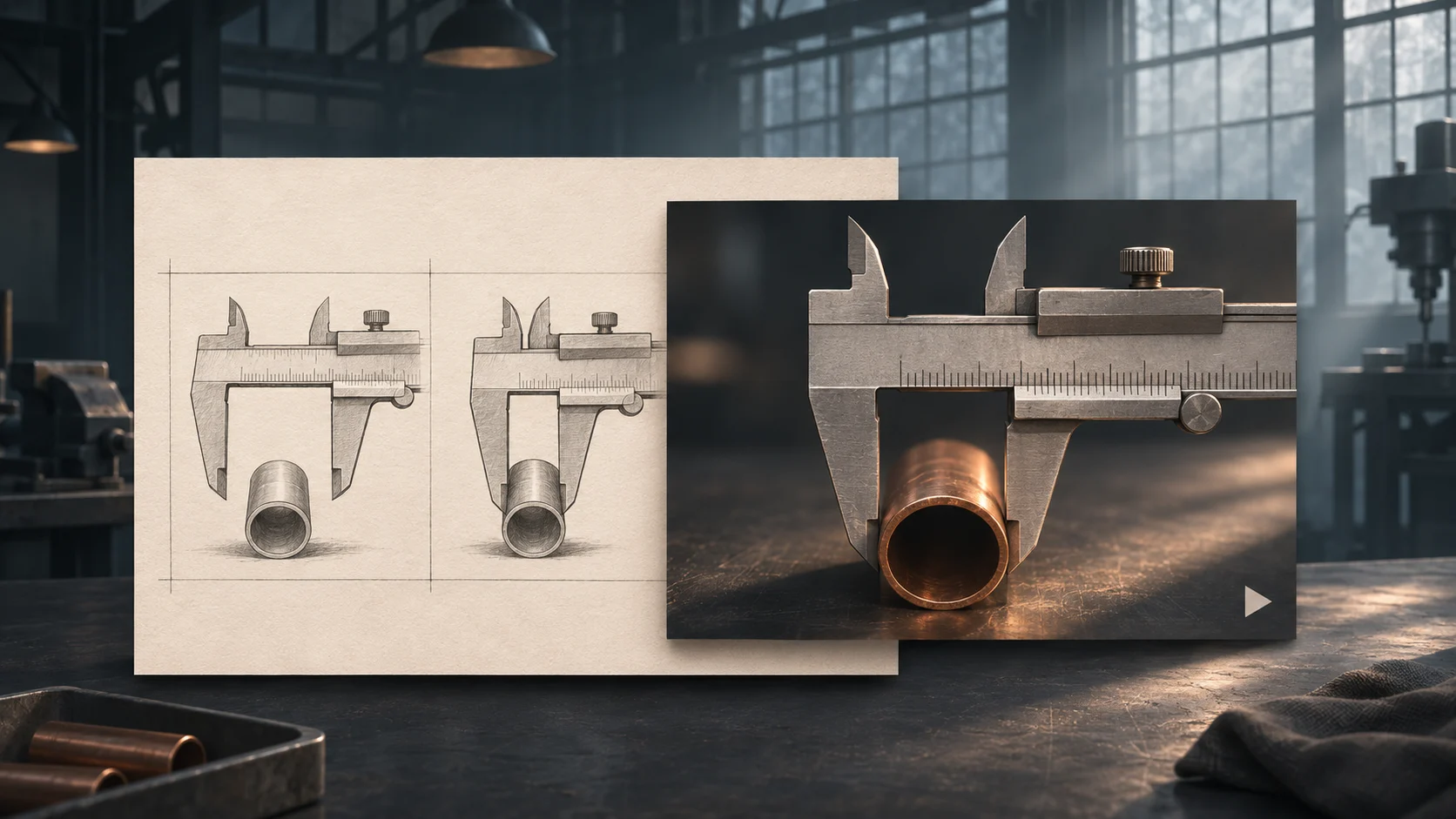
- Teaching content built around one measurable skill separates it from a general promotional piece.
- The 15 styles above span onboarding, software guides, animated formats, self-paced modules, and customer support, each suited to a different kind of task.
- Good formats follow research-backed principles, like pairing visuals with narration and segmenting longer lessons, drawn from Mayer's peer-reviewed work.
- Matching format to task matters more than following a single style. Start from the task itself, not the production method you already know.
15 Best Instructional Video Examples That Make Complex Learning Feel Simple
Teaching content works best when it shows rather than tells. The strongest formats share three things: a clear learning goal, a style matched to the task, and a structure viewers follow without rewinding five times. Below are 15 real styles worth studying before you scope your next project, plus a step-by-step process for making your own.
What Is an Instructional Video?
It is a short piece of content built to teach one specific skill, process, or concept. Unlike a promotional clip, its job is to transfer understanding, not to sell. Most follow a simple shape: state the purpose of the video, show the task, then reinforce it.
Each example on this list follows that pattern. This differs from an explainer video, which introduces a product rather than walking through a procedure. A SaaS company might use one to pitch what its platform does, then rely on teaching content to show existing customers how to use it for instructional purposes.
Types of Instructional Videos (With Examples)
Most L&D programs end up using several formats for different needs. A single sample rarely covers the whole range, so here is a quick taxonomy before the detailed entries below.
Screencasts capture a computer screen with narration and annotation. Filmed demos use a real person showing a physical task. Sketch-style clips use hand-drawn diagrams that are built in real time. Character-led clips use illustrated figures to simplify complex concepts. Narrated slide modules turn a PowerPoint deck into a short, focused lesson.
The explainer vs. instructional video distinction matters here: one builds awareness, the other builds competence. Making instructional videos well starts with knowing which of these two jobs a given piece is actually doing. Faculty teams at UNC Charlotte sort their own library the same way, into scenario clips, narrative pieces, and light board lectures.
Instructional Video Examples for Corporate Training
The strongest employee training content leans toward short, scenario-based teaching that works for a distracted viewer watching on a laptop between meetings.
1. Scenario-based compliance content. Deloitte's internal ethics and compliance modules use short animated scenarios, a data breach, a bribery attempt, a conflict of interest, followed by the correct response, so employees see the consequence play out rather than reading a policy document. ArtEquation, A VineGarden Films Division, built its own safety clip the same way, walking drivers through post-accident steps as an animated scenario rather than a dense PDF.
2. Soft-skills vignette. The Canadian Centre for Occupational Health and Safety publishes short pieces showing a manager handling a difficult conversation well and badly, letting the viewer compare outcomes. The format sticks because the viewer sees the consequence before the correction, which is exactly what makes it a reliable teaching format for HR teams.
3. Policy rollout. Companies like PwC turn updated policies (new expense rules, revised data handling protocols) into two to three minute animated pieces that break them into three or four plain-language steps, replacing the PDF nobody reads. Teams building out a full library usually pair all three formats around clear learning objectives, keeping internal training consistent across departments. Richard Mayer's research on multimedia learning backs the approach: pairing a presenter's narration with relevant visuals outperforms text-only delivery every time.
Instructional Video Examples for Software and Product Tutorials
Product tutorial content tends to be screen-captured and built around a single task rather than the whole platform, doubling as the kind of how-to videos a support team hands off to customers directly.
4. Feature screencast. Slack publishes short narrated captures for each major feature, Canvas, Huddles, Workflows, showing a single task from start to finish with on-screen callouts circling buttons and menus. The viewer sees exactly where to click, not a tour of the entire product.
5. Annotated software demo. Canva's design-school guides trim each lesson to one task, with labels on each part of the interface, so a new user learns how to remove a background or resize for Instagram in under 90 seconds, a clean example of using a screen recording to teach one outcome. Even a short onboarding video like this can cut support ticket volume dramatically.
6. Chaptered guide. Asana's YouTube playlists break longer guides into timestamped chapters so a viewer can jump to the one step they missed instead of restarting the whole piece, a format that works especially well for tools with a steep learning curve. Shorter chapters get higher completion, and the same chaptering trick works well across most demo videos regardless of platform.
Animated Instructional Video Examples
Motion-based content earns its place when a process is too abstract or too confidential to film: internal system architecture, a financial model, or a workflow that happens entirely inside software.
7. 2D character-led guide. Headspace uses a simple illustrated character and calm narration to walk new users through meditation techniques, holding attention over a longer explanation and giving the content a consistent visual identity across hundreds of sessions.
8. Whiteboard animation. RSA Animate's public lecture series (such as its widely shared "Drive" piece on motivation) uses a hand drawing icons in real time while a voiceover narrates, a format that performs well for step-by-step instructions because the drawing pace naturally matches the narration. The hand-drawn diagram makes abstract ideas feel concrete.
9. Motion-graphic process piece. Stripe's developer onboarding clips use clean, icon-driven motion to turn a payment-flow graphic into something that moves, which is often clearer than any static screenshot could be.
This is the kind of work ArtEquation builds for SaaS and enterprise teams through its own production process, part of the wider services it offers: concept and script, storyboard, illustration, voiceover, then delivery, so each piece is built around one learning goal rather than a generic template. For more on the studio's range, see its style guide. Instruction design and motion go hand in hand when abstract topics need a clear demonstration on screen.
Instructional Video Examples for Education and E-Learning
Educational content and self-paced modules are built for independent study, so they tend to be more structured than enterprise material, often sitting inside a course alongside a knowledge check and reading material.
10. Narrated micro module. Khan Academy's math and science lessons are the gold standard here: a short, single-goal clip, usually under ten minutes, with a digital sketch pad and voiceover explaining one concept at a time. Micro videos like these work well for just-in-time upskilling because learners can rewatch the exact segment they need.
11. Worked-problem format. MIT OpenCourseWare publishes full worked problems on screen, with narration explaining the reasoning at each stage rather than just the final answer. It illustrates how to think through a task, which is what separates a strong educational video from a simple answer key.
12. Lecture capture with chapters. Coursera splits recorded university lectures into navigable chapters so students can jump to a specific section instead of scrubbing through a long file, a format eLearning Industry notes works well for content that learners return to repeatedly.
Instructional Video Examples for Customer Support and Onboarding
Onboarding and customer support content shares a goal: get someone productive, or get their problem solved, without a support ticket.
13. Welcome and setup guide. Dropbox's first-run onboarding clip covers the two or three things a new user needs to do immediately after signup: install the desktop app, sync a folder, share a file. It reduces the first-day cognitive load to 90 watchable seconds instead of a 12-page setup document.
14. FAQ-style troubleshooter. Apple Support's YouTube channel publishes a library of 60 to 90 second clips, each answering one question ("How do I transfer data to a new iPhone," "How do I reset my password"). This mirrors how people actually search for help, and cuts customer support video tickets by giving users a self-serve answer before they contact a human. Even simple clips like these can deflect thousands of tickets a month.
15. New-hire orientation series. HubSpot Academy breaks employee onboarding into a sequence of short pieces, one on company culture, one on CRM basics, one on first-week logistics, replacing the single four-hour orientation session with content new hires revisit at their own pace. Breaking onboarding into five to eight clips of two minutes each consistently gets higher completion than one long file.
What Makes a Good Instructional Video?
A good piece of teaching content has one clear learning goal, matches its format to the task, and respects the viewer's time, usually staying under five minutes unless the task genuinely requires more.
Beyond length, the strongest formats share a few traits. They state the purpose upfront rather than burying it three minutes in. They keep the script concise, since duration and engagement are closely linked. They pair narration with the right visual at the right moment, and use a high-quality, natural-sounding voiceover rather than a flat one.
Mayer's peer-reviewed principles, summarized at UCSB, include pairing audio and visual elements, cutting extraneous detail, and breaking longer lessons into segments. These apply across every format on this list and improve user experience for both the learner and the organization measuring completion rates.
Captions also matter. Adding them makes the content usable for viewers who cannot turn on audio, and helps search engines understand what the piece actually teaches.
How to Create an Instructional Video: Step-by-Step
The production sequence is the same whether the output is an onboarding piece or a product guide, only the tools and tone change.
- Define the learning goal. Write down, in one sentence, what the viewer should be able to do after watching.
- Identify your target audience. A guide for a new hire needs more context than one for an experienced user, which affects pacing and vocabulary.
- Write the script. Keep sentences short and spoken, not written. A script that sounds natural out loud is easier to follow.
- Build a storyboard. Sketch each beat so you catch pacing problems before you produce anything. Good storyboards save far more time than they cost to make.
- Choose your format. Screen capture, filmed setup, sketch style, or full 2D animation, matched to whether the content is visual, physical, abstract, or software-based.
- Produce the piece. Record footage, film the setup, or move into illustration and motion work for an animated piece.
- Add voiceover and sound. A clear, well-paced narrator and simple sound design make the difference between content people finish and content they abandon.
- Caption and review. Add captions, check pacing against the learning goal, and test it on someone unfamiliar with the topic.
- Publish with a call to action. Tell the viewer what to do next: try the feature, complete the quiz, or move to the next module.
For an animated piece specifically, this usually runs through a studio's video production pipeline, so it is worth understanding typical production costs before scoping a series, since pricing shifts with length, complexity, and localization needs.
Instructional Video Best Practices and Tips
What separates forgettable content from evergreen material comes down to brevity, consistency, and reusability.
Keep each piece short and single-purpose. According to TechSmith's 2024 Viewer Study, 83% of people prefer learning from visual content over text or audio, and 60% will not finish a piece that runs 20 minutes or longer. Write toward one idea per clip rather than cramming a five-part workflow into a single file.
A few more tips worth building into any learning library:
- Design for replay. Chapter markers let viewers jump back to the one part they missed.
- Keep branding consistent. A recognizable visual system, especially for products and services shown across a whole series, builds familiarity faster than one-off productions.
- Plan for updates. Scripting in modular sections makes future edits far cheaper than starting over.
- Measure engagement. Watch-through rate and drop-off points show where a guide loses people.
- Use a reusable intro and outro. They keep a series cohesive without rebuilding the format each time.
Conclusion: Choose the Right Instructional Video Style
The right format depends on the task, not personal preference. Screen-based tasks call for screen captures, abstract concepts call for motion, and physical tasks need a filmed walkthrough. What matters across every style here is a clear learning goal, a format that fits, and a script that respects how little time viewers give any piece of content.
ArtEquation, A VineGarden Films Division, makes animated content for SaaS companies and enterprises, with more than 8,000 pieces delivered in 32 languages across 23 countries.
If you are scoping a series, an onboarding library, or a set of animated clips and want a second opinion on format before scripting, share a brief through the contact page, or browse the ArtEquation blog for more on choosing a style.
FAQs
What is the difference between an explainer video and an instructional video?
An explainer video introduces a product or concept to build interest. An instructional video shows someone how to complete a specific task. Many organisations use both to introduce a product and then help customers use it after they sign up.
How long should an instructional video be?
Aim for one to five minutes. A complex technical walkthrough may need more time, and chapters can help viewers jump to the step they need. Keep the video as short as possible while still meeting the learning goal.
Can instructional videos include interactive elements?
Yes. Some video platforms let you add branching scenarios or knowledge checks directly to the video. These features reinforce learning and help learning and development teams see what viewers understood.
Does someone need to appear on camera?
No. Screen recordings, sketch-style animations and other animated formats can use voiceover to guide viewers. For procedural topics, showing each step as it happens keeps the focus on the task.
What is a good first project for a small team with no production experience?
Start with a 90-second narrated screen recording that demonstrates one task. A microphone and basic editing software are enough to get started. Clear instructions matter more than production polish at this stage. A simple in-house video can help answer a recurring support question. Consider working with a studio when you need higher production quality or plan to build a larger video library.
Create once. Communicate everywhere.
Your content shouldn't be limited by geography or language. One production partner, multiple languages, global delivery. Tell us what you want to communicate. We'll help you take it around the world.