How We Shot a 90-Second Brand Film in the Sahara with a 6-Person Crew

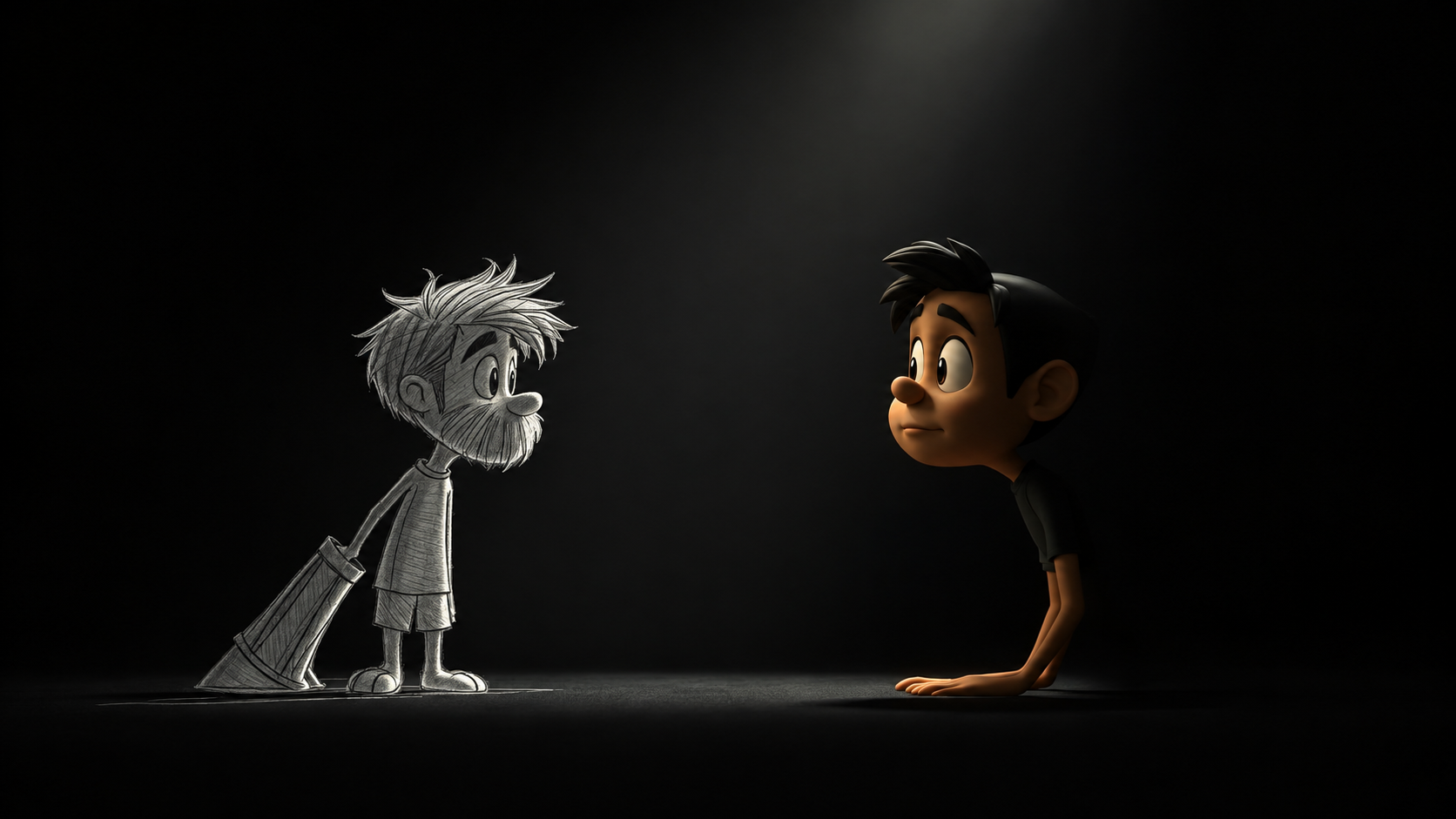
- There are ten distinct animation styles in active use today, from traditional hand-drawn and 2D to 3D, motion graphics, stop motion, whiteboard, kinetic typography, cut-out, rotoscope, and mixed-media, each built for a different kind of message, budget, and audience.
- 2D animation is the most common starting point for explainer videos and brand content because it balances production speed with visual flexibility, but motion graphics and whiteboard animation can be faster and more cost-effective for data-driven or sequential content.
- No single animation style is universally best. The right choice depends on what the video needs to accomplish, who it's for, where it will live, and what the budget and timeline allow.
- A studio experienced across multiple animation techniques gives more objective guidance, since the recommendation isn't limited to the one style that team happens to specialize in.
Types of Animation Videos: A Complete Guide to Choosing the Right Style
Animation today spans ten broad styles, from hand-drawn traditional animation to 3D, motion graphics, stop motion, and whiteboard, each suited to a different message, budget, and audience. This guide covers the different types of animation videos and types of animation styles in active use, and gives you a practical way to pick between them.
What Is an Animation Video?
An animated video is any video built from drawn, modeled, or digitally generated images shown in rapid succession to create the illusion of movement. Animation involves building each image from scratch instead of filming something real, which is why it shows up across the animation industry, from entertainment to brand communication: it can visualize things a camera can't, like abstract software or a concept that doesn't exist yet.
What Are the Different Types of Animation Videos?
Most animation used in marketing, entertainment, and education falls into one of ten categories. Various animation techniques and styles serve different purposes, but understanding each kind of animation is the first step to briefing an animated video with confidence.
1. Traditional Animation
Traditional animation, or hand-drawn or cel animation, is the original technique: artists draw each frame by hand, photographed or scanned in sequence at 24 frames per second. In the early days of animation, this frame-by-frame animation approach defined American animation at studios like Disney and Fleischer. Hand-drawn animation is now rare outside prestige film, but its influence hasn't faded: the 12 principles of animation from Ollie Johnston and Frank Thomas's 1981 book The Illusion of Life still guide animation styles and techniques across every method on this list.
2. 2D Animation
2D animation is a type of 2D animation that builds characters and scenes on a flat plane using vector animation or raster artwork, the direct digital descendant of traditional animation. It's the most popular type of animation for explainer videos, faster and cheaper than 3D without sacrificing personality.
Popular 2D animation software and animation programs include Toon Boom Harmony, Adobe Animate, and TVPaint, used widely in professional animation studios. This is the core of what VG Films builds for clients who need a complex idea turned visual.
3. 3D Animation
3D animation, or 3D computer animation, models characters and objects in three-dimensional space, then renders them with lighting, texture, and camera movement. The introduction of CGI animation in 1990s feature films reshaped audience expectations.
3D delivers the most photorealistic result of any style, a natural fit for product visualization, but rendering takes far longer than creating an equivalent 2D asset, making it the most expensive option for animation projects.
4. Motion Graphics
Motion graphics animation animates graphic design elements: text, logos, icons, and shapes that move and transform, usually without a character driving the action.
The term dates to 1960, when animator John Whitney founded Motion Graphics, Inc., building on work with Saul Bass on the title sequence for Hitchcock's Vertigo.
The process of creating motion graphics videos is often the quickest route, since brands use motion graphics constantly for data visualization and social ads that read well without sound.
5. Stop-Motion Animation
Stop motion animation photographs real physical objects, such as clay figures or puppets, moving them in tiny increments between shots so that, played back, they appear to move on their own.
Standard film runs at 24 frames per second, and animating "on twos" means roughly 12 distinct poses per second. Clay animation, puppet animation, and pixilation all fall under the stop motion umbrella, with a tactile, handmade quality that produces unique animation difficult to replicate digitally.
6. Whiteboard Animation
Whiteboard animation simulates hand sketching illustrations on a blank surface, paired with a voiceover explaining a concept step by step.
The animation process is paced with the audio, making it effective for sequential explainers. It's a lower-cost form of animation used in corporate training because it doesn't require character animation or complex backgrounds.
7. Kinetic Typography
Kinetic typography animation animates text itself, timing the size, position, and movement of words to match rhythm or a voiceover, so the typography becomes the visual storytelling device.
Saul Bass's title sequences are classic examples. It doesn't require character design or illustrated scenes, so it's quick to produce and works well for quote videos and mission statements.
8. Cut-Out Animation
Cut-out animation moves flat, jointed pieces of digital artwork or paper across a scene. South Park started as a physical cutout animation production before shifting to a digital cut-out simulation.
This style is efficient because character rigs get reused across scenes, a practical choice for an animation studio producing recurring series.
9. Rotoscope Animation
Rotoscope animation traces over live-action footage frame by frame, blending animation with live action in a way no other technique matches.
Animator Max Fleischer patented the Rotoscope in 1917, first using it to create Koko the Clown from his brother's filmed performance, and later to give Superman and Betty Boop their fluid motion. The technique remains a form of experimental animation that still shows up in visual effects today.
10. Mixed-Media Animation
Mixed-media animation combines two or more animation techniques, or blends animation with live-action footage, in a single project.
A brand film might pair whiteboard sequences with motion graphics data callouts, or layer 2D characters over live-action backgrounds, letting a production team match the right tool to each beat.
Different Types of Explainer Videos
An animated explainer video is a short video, usually 60 to 120 seconds, built to explain what a product or idea does.
The different types of explainer videos map onto the different types of animation styles above. They're one of the most widely produced video formats among marketers, per Wyzowl's 2026 survey.
Studios that produce explainer content typically specialize in one or two formats.
2D Animated Explainer Videos
Flat character and icon animation walking through a product step by step, balancing speed with visual flexibility.
3D Animated Explainer Videos
Dimensional models demonstrate physical products or processes where depth and realistic movement genuinely aid understanding.
Motion Graphics Explainer Videos
Animated text, icons, and data rather than characters, a strong fit for SaaS products and number-driven stories.
Whiteboard Explainer Videos
A sketched, step-by-step reveal for a process, effective for training content and logically sequenced B2B explainers.
Character-Led Explainer Videos
Built around a recurring mascot who guides the viewer, adding personality at the cost of a slightly longer timeline.
Mixed-Media Explainer Videos
Live-action footage combined with animated overlays, useful when a brand wants real people alongside animated clarity.
Comparison of the Main Animation Video Types
No style is a universal default; each has genuine strengths for the right project.
Animation TypeBest Suited ForKey CharacteristicRelative ComplexityTraditionalFilm, prestige branded contentFully hand-drawn, frame by frameVery high2DExplainer videos, product walkthroughsFlat, vector or raster artworkModerate3DProduct visualization, architecture, gamesDimensional models, realistic lightingHighMotion GraphicsData, social ads, title sequencesText, icons, and shapes in motionLow to moderateStop-MotionDistinctive brand films, crafts contentPhysical objects shot frame by frameHighWhiteboardTraining, sequential explainersSimulated hand sketching a diagramLowKinetic TypographyQuotes, lyric videos, mission statementsText as the primary visual elementLowCut-OutRecurring series, fast-turnaround contentFlat, reusable jointed character rigsModerateRotoscopeNaturalistic movement, VFX, stylized filmTraced over live-action referenceHighMixed-MediaBrand films blending formatsTwo or more techniques combinedModerate to high
How to Choose the Right Type of Animation Video
Start by asking what the video needs to do. A video meant to build emotional connection calls for character animation; one explaining a dashboard feature calls for motion graphics or digital animation.
To choose the right animation type, let budget and timeline narrow the list: motion graphics, whiteboard animation, and kinetic typography are the fastest routes, while 3D, traditional, and stop motion involve more production time.
Audience and platform matter just as much. A LinkedIn explainer reads differently in whiteboard animation than the same message in a playful cut-out style for consumers on social video.
A good animation studio should translate your visual identity and animation and graphic design language into whichever technique fits the brief.
Which Animation Style Is Best for Your Project?
There's no universal best animation style, only the best fit for a specific goal.
A cold audience responds fastest to a 2D animated explainer paired with clear storyboarding. Standing out in a crowded feed calls for motion graphics or kinetic typography. Building a lasting identity around a character is where 3D or character-led animation earns its extra cost.
A studio experienced across different animation styles and techniques tends to give more honest guidance, since the recommendation isn't limited by what one team specializes in.
VG Films has spent close to seven years building 2D animated explainers and brand films. Get in touch to talk through which style fits your project.
Frequently Asked Questions
What are the main types of animation videos?
Traditional (hand-drawn), 2D, 3D, motion graphics, stop motion, whiteboard, kinetic typography, cut-out, rotoscope, and mixed-media.
While some list 5 types of animation as the major categories, most professional classifications recognize all ten as distinct styles and techniques.
What is the difference between 2D and 3D animation?
2D animation works on a flat plane using vector or raster artwork; 3D builds dimensional models with lighting and camera movement.
2D is generally faster and cheaper, while 3D delivers more realistic depth for certain animation projects.
Which animation type is best for explainer videos?
2D animation is the most common choice, balancing speed with flexibility. Motion graphics and whiteboard animation suit data-driven or sequential explainers.
Is motion graphics the same as animation?
Motion graphics is a type of animation, not a separate category. It animates text, shapes, and design elements rather than characters or narrative scenes.
Which type of animation is best for brands?
It depends on audience, message, and visual identity. 2D is the most common starting point, but motion graphics, character animation, 3D, or even Japanese animation styles can fit better depending on the goal.
Can different animation styles be combined?
Yes, this is mixed-media animation, common in brand films and explainers that need more than one technique, such as pairing whiteboard sequences with motion graphics callouts.
You have a brief. We have a production line.
Rough script, half-formed idea, a Slack thread from marketing. Bring what you've got. We'll come back with what kind of film gets it there, and how long that takes.